
Installing Prerequisites#
To follow these tutorials the following software packages must be installed on your system. All are free and require no accounts. Options are available for both Linux and Windows.
Installing Git#
For Debian/Ubuntu/etc:
sudo apt install git
For other distros use your prefered package manager or acquire the program from here:
Installing Gitbash For Windows
(windows) Installing Git#
Download and install Git for windows.
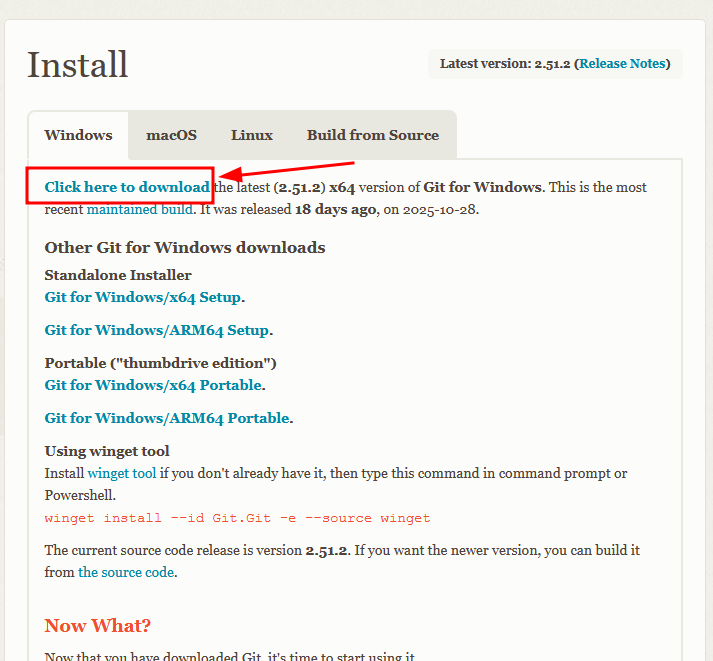
See the following gif for details if you are confused.
Installing Docker Engine#
For Ubuntu/Debian follow the instructions here:
https://docs.docker.com/engine/install/ubuntu/
Installing Docker Desktop for windows
(windows) Installing Docker Engine#
For windows Docker engine is not made available seperately. It is necssary to install the Docker Desktop package which includes as a component the docker engine. WSL2 must be configured and available. See the following resource for instructions:
https://docs.docker.com/desktop/setup/install/windows-install/
Installing VSCode/VSCodium#
Either VSCodium (open source build of VSCode) or VSCode will work.
To install VSCodium for Ubuntu/Debian follow the instructions here:
https://vscodium.com/#install-on-debian-ubuntu-deb-package
To install VSCode for Ubuntu/Debian follow the instructions here:
https://code.visualstudio.com/docs/setup/linux#_install-vs-code-on-linux